
Auto-tag anything, anywhere, with your team.
Tagging software for individuals and teams, Tabbles takes you beyond folders and drive letters.
See our feature list or watch the videos.

Tag any file
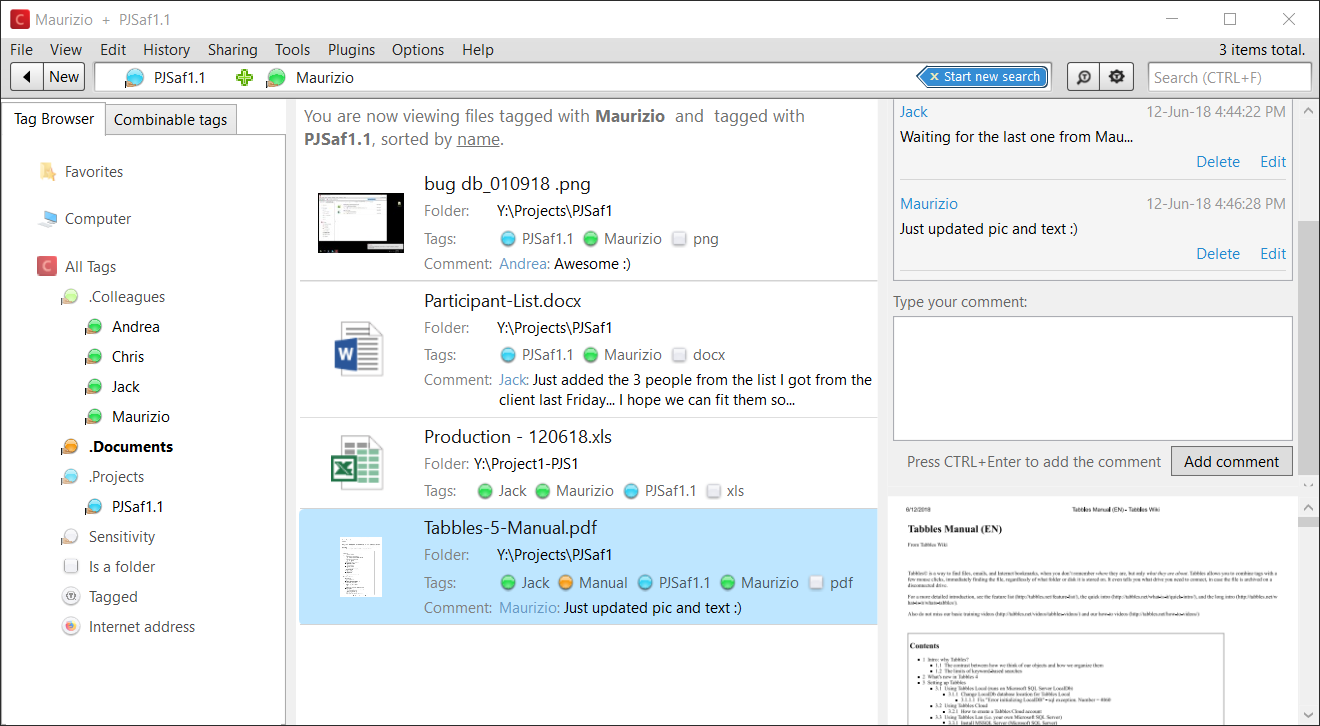
Tabbles can tag any file type on any file system: the tagging is stored in a database. Tabbles won’t mess up with your file names or leave hidden files on your disk.
Auto-Tagging
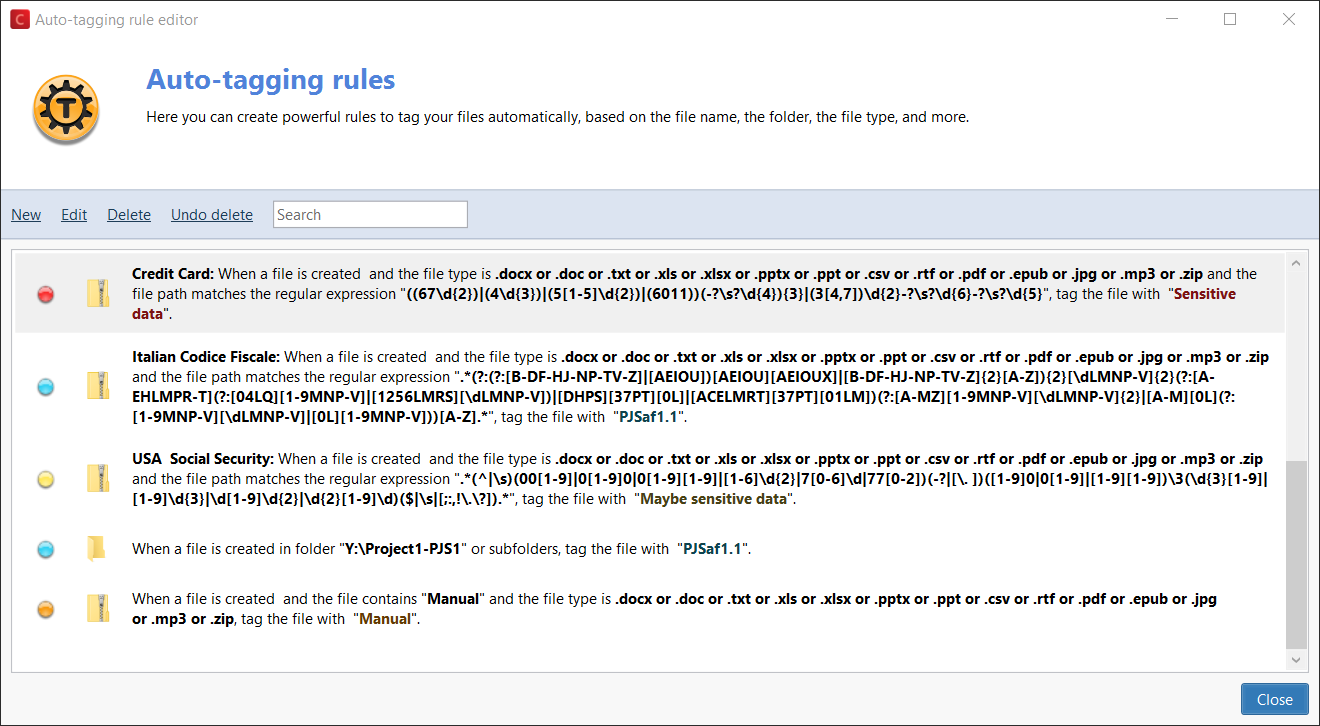
Let Tabbles automatically tag your files based on their path, their name and their content.
You can auto-tag files using keywords or use regular expressions to data-mine sensitive information (email addresses, credit cards or social security numbers) or names from a list.
Comments
Write multiple and searchable comments on files in a chat-like fashion, along with your team.
Search metadata
Search everything
Tabbles unified search box can search through file name and paths, as well as tags, comments and file content.
Move files in Explorer
...and tag follows!
If you move, rename or delete a tagged file in Windows Explorer, the tagging will follow and won’t be lost (or even some 3rd party file managers)
Dropbox, OneDrive...
Tag files on any file-sync service
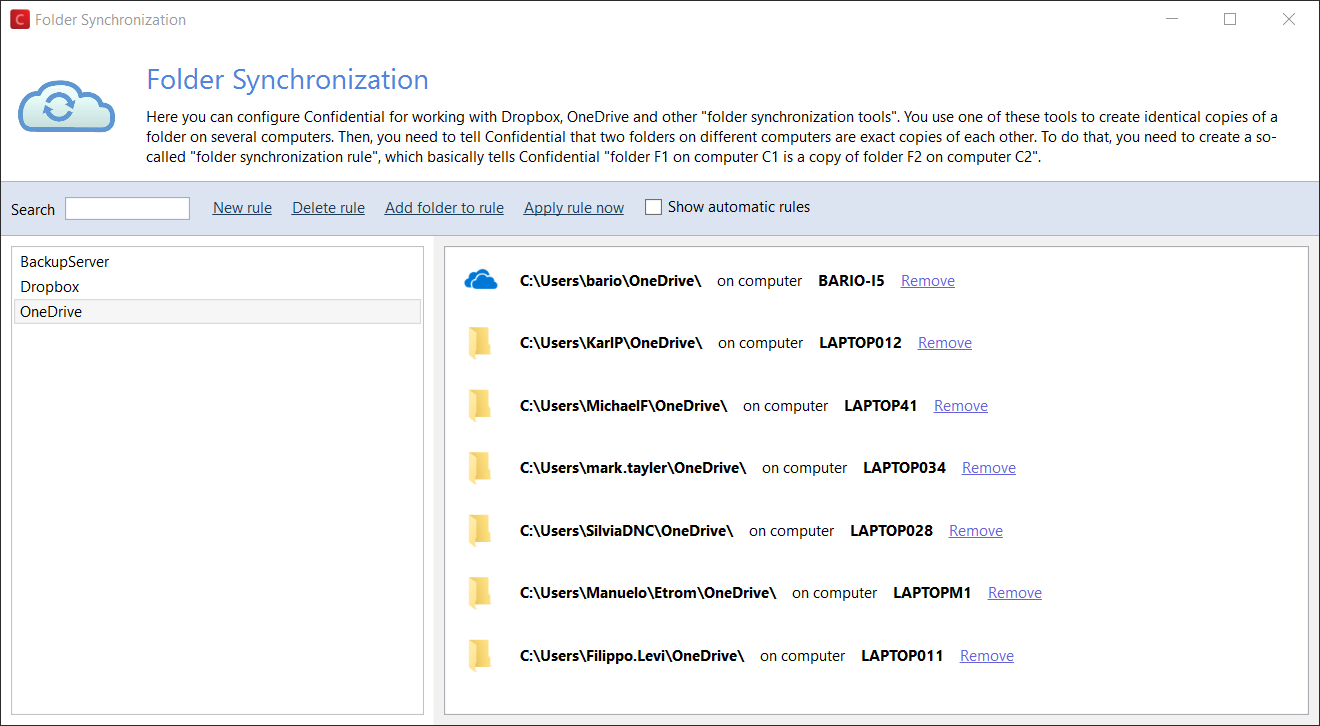
Tabbles unique Folder Synchronization feature, lets you tag files on any cloud storage or file synchronization tool, by yourself of with your team.
Tag Emails, Bookmarks
Tag Outlook emails or bokmarks
Tag Outlook emails and bookmarks on any browser, and find them along with your files inside your tags.
Data-Mining
Auto-tag files using smart rules
Let Tabbles scrape your drive(s) using regular expressions to data-mine sensitive information (email addresses, credit cards or social security numbers) or names from a list and auto-tag files.
Tag-Sharing
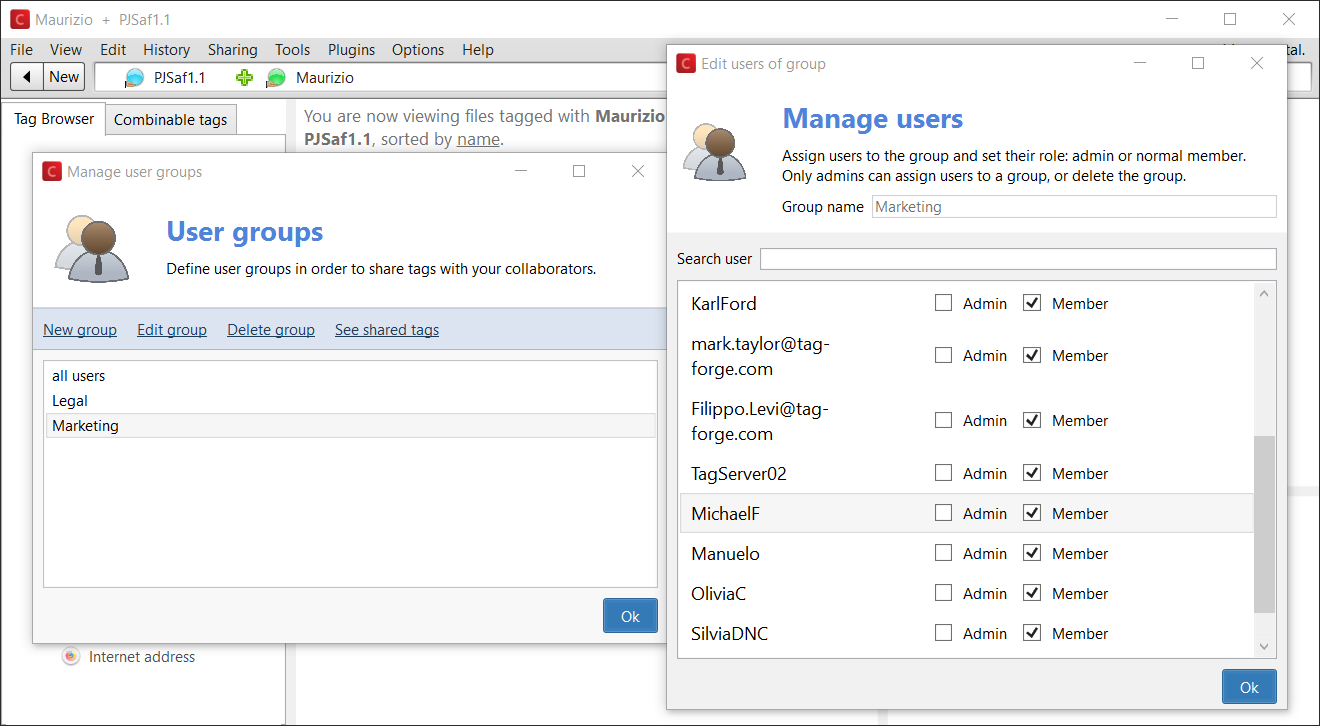
Share your tags along with your team
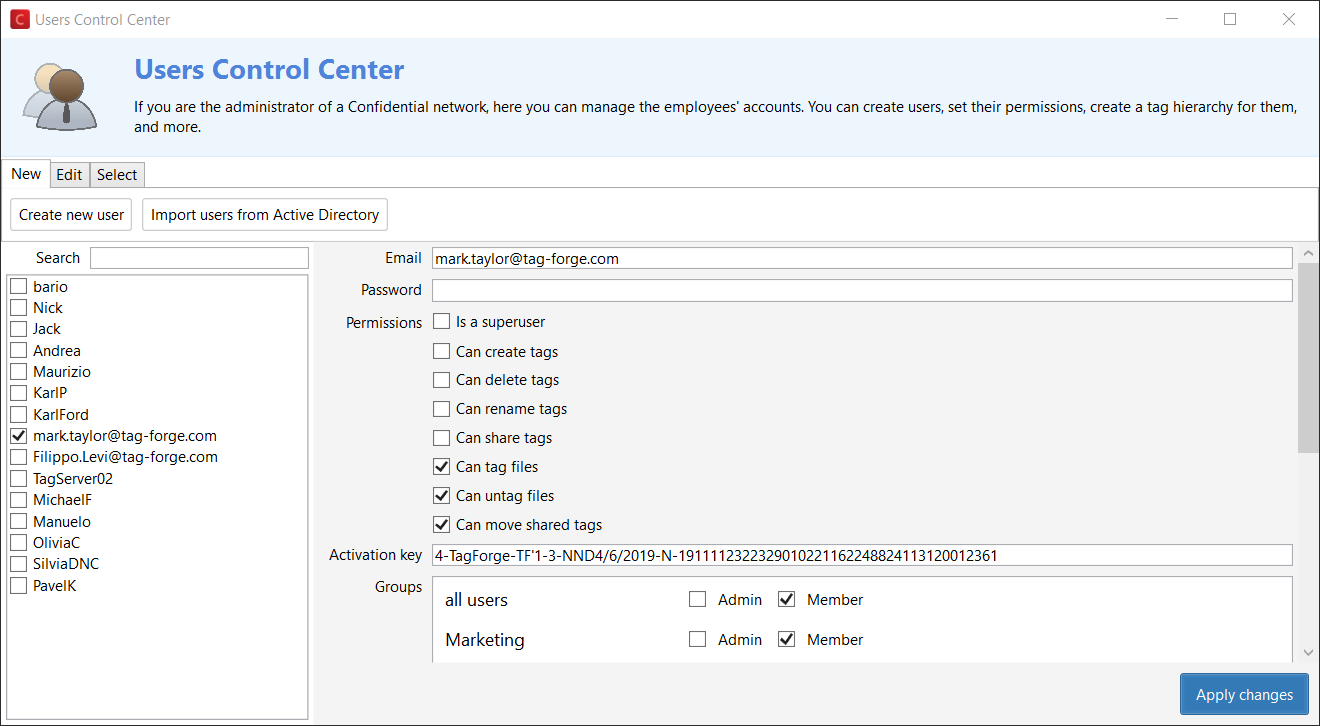
Tag, auto-tag and share your tagging with your colleagues. Tag on local disks, network drives and in the Cloud, manage users and groups through granular permissions.
File Previews
Preview many file formats
You can preview most graphic files and PDF (the first 10 pages) in the preview box of Tabbles.
Explorer integration
Right click -> Tag and Overlays
Tabbles is deeply integrated with Windows Explorer: you can perform many tasks from the Context Menu, and you will see an Overlay icon on tagged files.
TAG EVERYWHERE
On local disks or USB
Tabbles can tag any file type and folder on your PC’s hard disk, for any file system that Windows can read.
Tabbles works on USB disks and sticks as well: you can setup a Cloud account to have your tags synchronized across multiple devices.
On shared drives
Use Tabbles to collaboratively share your tagging with your colleagues on your network drives and use chat-like file comments to communicate. It works on any file system.
The auto-tagging rules work on shared folders as well and your SysAdmin can use Tabbles granular permissions to define what each user and can do and on what disk(s).
In Dropbox/OneDrive etc.
Using Tabbles unique Folder Synchronization feature, you can tag files on any cloud storage and file synchronization service.
Using tag sharing and Folder Synchronization, you can tag files in your cloud folders along with your colleagues, wherever they are.