January 2018

Auto-tag files based on content – new in Tabbles 5

By |2018-01-08T12:08:16+01:00January 8th, 2018|English, Uncategorized|

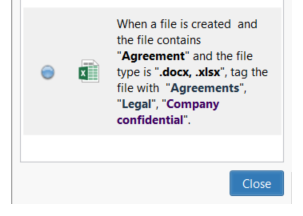
We're working on Tabbles 5 already, the first feature we're releasing is an extension of the auto-tagging rules that will allow you to search "inside" a file ( search the content of a file or document) and tag the file automatically based on what's inside it.In the first release it will work only for files .docx, .xlsx and for generic [...]
September 2014

3.1.11: Support for alternate file managers, usability improvements, speedups, and bugfixes

By |2018-06-12T19:37:38+01:00September 24th, 2014|Uncategorized|

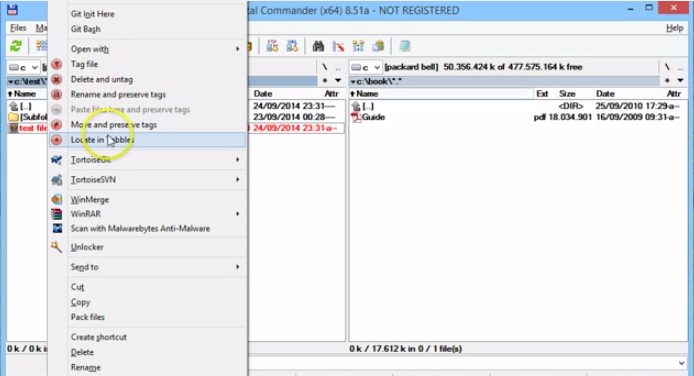
Hi all, Today we published a new Tabbles release (3.1.11) with some interesting new features. First, we have good news for users of file managers other than Explorer (like Total Commander, xplorer2, Directory Opus): you can now move and rename files with alternate file managers without losing tags. You achieve this by means of the new context-menu verbs. For example, [...]

Tabbles 3.1.4: major bugfixes for network folders, and improvements in synchronization (with video)

By |2017-11-17T20:43:02+01:00September 17th, 2014|Uncategorized|

Good day everyone! We just released Tabbles 3.1.4, containing some important bugfixes and new features. The important bugfixes are related to network folders. Basically there were a bunch of bugs which prevented you to tag files in a network folder from the PC where the folder physically lives, and have the tags be visible from the other machines in the [...]

Tabbles support for Dropbox, Onedrive, and other cloud and file synchronization tools

By |2018-06-06T12:44:39+01:00September 5th, 2014|Uncategorized|

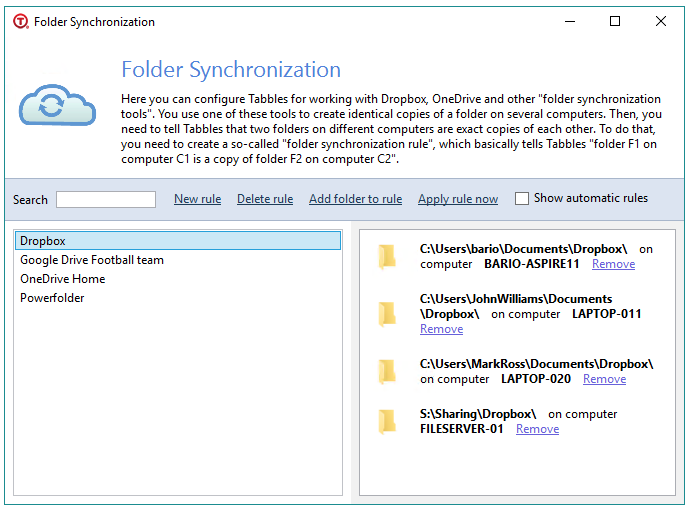
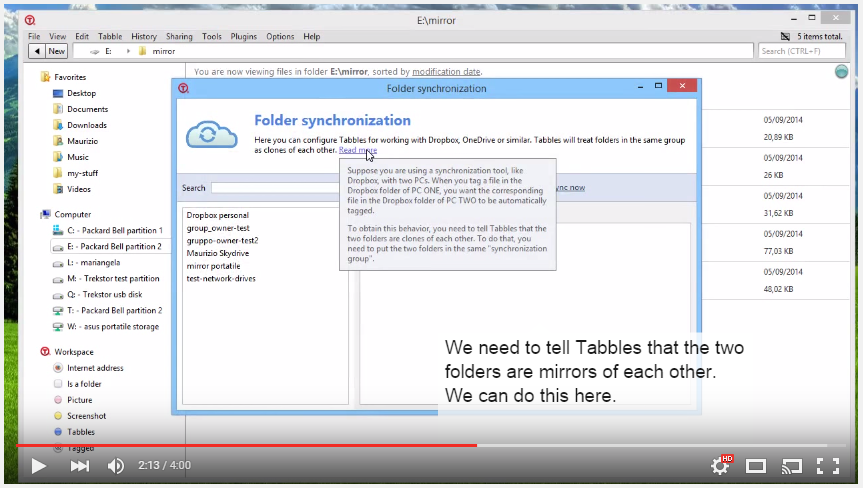
Tag files on Dropbox, Onedrive or any cloud synchronization service Starting from version 3.1, Tabbles supports tagging on Dropbox, Onedrive and more! This new major version brings a popularly demanded feature: synchronization support. , i.e. support for Dropbox, OneDrive, Google Drive, Copy, etc. What does this mean? Suppose you are using Dropbox to synchronize a folder across two PCs, by yourself [...]

April 2014

New feature: search for files in disconnected drives; Tabbles tells you what drive to insert. (with video)

By |2017-11-17T20:34:35+01:00April 30th, 2014|Uncategorized|

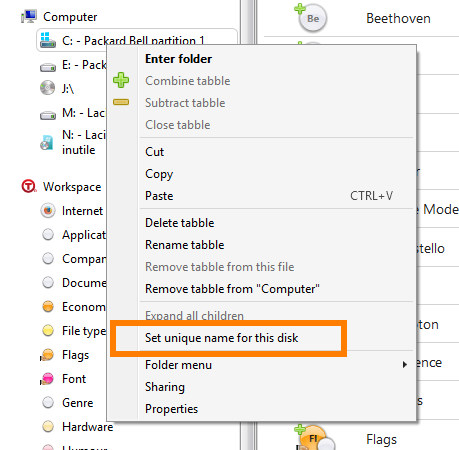
Dear Tabbles followers, We are proud to announce the release of version 3.0.20 with a major new feature: find files in disconnected drives (cdroms, network drives, usb drives). This means that, when you find a file with Tabbles, and then try to open it by double-clicking, if the disk containing the file is disconnected, Tabbles will tell you what disk [...]

Comments Off on New feature: search for files in disconnected drives; Tabbles tells you what drive to insert. (with video)

February 2011

Quatschen mit Outlook

By |2011-02-23T22:11:43+01:00February 23rd, 2011|Deutsch|

Tabbles unterhält sich mit Outlook und so langsam verstehen sich die beiden. Im Moment einigen sie sich auf eine gemeinsame Sprache um in Zukunft miteinander zu kommunizieren... und die Welt hält den Atem an bei den ersten nicht ganz so geheimen Screenshots aus dem Beta Labor Die API Entwicklung schreitet voran. Mal sehen mit wem und was Tabbles noch so [...]

October 2010

September 2010

June 2010

Divide et impera – Teile und herrsche

By |2010-06-25T12:39:52+01:00June 25th, 2010|Deutsch|

Und wieder ist ein kleiner Schritt gemacht auf dem Weg zum DMS der Zukunft! Shared Tabbles ist in aller Tabbleros Munde. Einige Auserwählte, erhielten heute Nacht eine Email mit einem Download Link zur Beta 1.5.4 â?? Shared-tabbles private beta. Die kleine unscheinbare Vier birgt nun hier das groÜe Geheimnis. Die Magie zwei Datenbanken zusammen zu führen - Informationen zu teilen [...]

Go to Top